
Microsoft Unveils a Reinvented Copilot: Home, Code, Autopilot, and a New Era for Enterprise AI
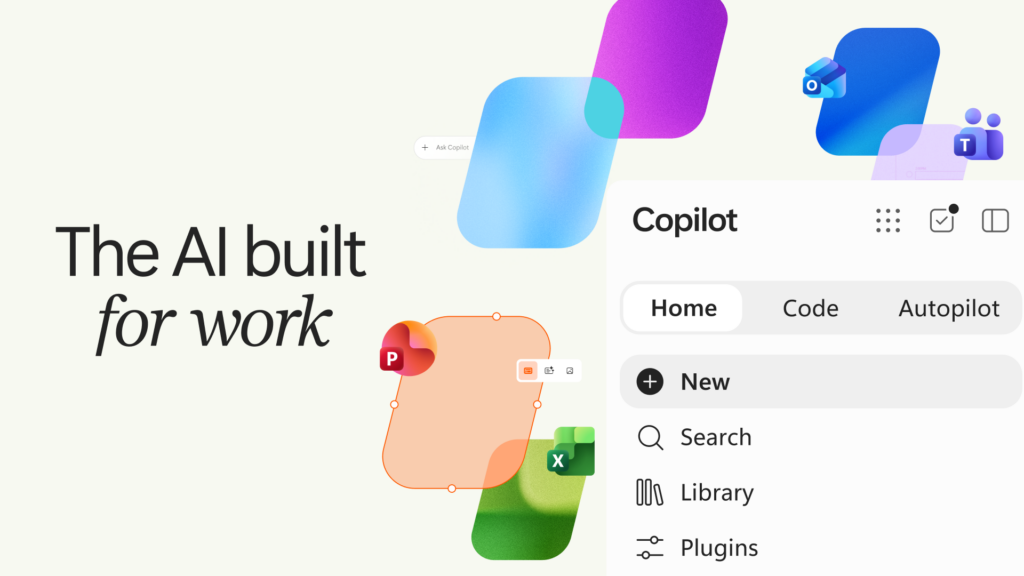
Microsoft has announced a sweeping overhaul of Microsoft Copilot, introducing a fundamentally reimagined platform designed to connect the tools organizations rely on with a new generation of AI capabilities. The updated Copilot experience centers on four core pillars — Home, Office in Copilot, Code, and Autopilot — alongside new FinOps capabilities to help enterprises manage AI spending with precision and clarity.
These changes signal a strategic shift in how Microsoft positions Copilot not merely as an AI assistant tucked inside individual apps, but as a unified, intelligent workspace that adapts to every mode of work — from quick questions to autonomous, long-running agentic tasks.
The New Copilot App: A Unified Hub for Every Mode of Work
At the heart of the announcement is the new Copilot app, which consolidates Chat and Cowork into a single, streamlined starting point called Home. As modern work constantly shifts between meetings, emails, documents, and conversations, Microsoft designed Home to serve as a grounding layer — giving users a centralized place to review recent activity, receive intelligent suggestions, and pick up tasks exactly where they left off.
Chat remains the conversational core: instant, responsive, and suited for quick questions, lookups, and draft creation. Cowork, on the other hand, handles work you delegate end-to-end. Rather than toggling between tools, users define a task — whether it’s an RFP response, a launch kit, or a financial close package — and Copilot works through it to deliver a completed result.
Key Insight: Microsoft says that coming soon, users won’t need to manually select a mode. Simply stating what you need to accomplish will cause Copilot to automatically route the work to Chat, Cowork, or Code — whichever capability is best suited for the job.
Office in Copilot: Full-Power Word, Excel, and PowerPoint Built In
One of the most anticipated additions is Office in Copilot, which brings the full depth of Word, Excel, and PowerPoint directly into the Copilot experience. The promise is practical and immediate: no broken formatting, no stray document versions, and no need to rebuild context in a separate application.
From Home, users can ask Copilot to draft a launch brief, model a budget in Excel, or build a full presentation deck — and it generates a real, editable file live for the entire team. Edits made in Copilot sync automatically with the traditional Office apps, so progress follows the user wherever they work. Teammates can @mention each other within Copilot, and changes appear in real time.
Microsoft also highlighted significant improvements across the broader Microsoft 365 suite. PowerPoint now maintains brand consistency automatically and offers fine-tuned control over slides and images. In Excel, users can trace exactly what changed and why when Copilot or a collaborator makes edits, while Copilot recommends the optimal chart to visualize data. Across the platform, Skills bring specialized expertise — like financial analysis in Excel or legal review in Word — directly into the apps, enabling organizations to scale best practices through reusable, role-specific workflows.
Code for Everyone: Building Solutions Without Being a Developer
The Code capability represents a fundamental expansion of who can build software. Microsoft argues that the traditional unit of knowledge work — the document, spreadsheet, or deck — is now joined by a fourth category: small, purpose-built applications. Learning to build these solutions is becoming as fundamental as writing a memo or modeling a budget.
Users describe an app, tracker, dashboard, or automation in natural language, and Copilot selects an approach and builds it. The output can range from persistent desktop widgets for quick reference to interactive dashboards for data exploration, all the way to cloud-hosted internal applications shareable across an organization.
Powering Code is the same underlying technology behind GitHub Copilot, and it runs in a sandboxed environment hosted securely within a company’s tenant. With Microsoft IQ, everything created is grounded in the context of the organization’s actual work, and plugins sync automatically. Microsoft emphasized that software developers will continue using GitHub Copilot for their day-to-day work, with Code extending connectivity into the broader Copilot platform.
| Capability | Status | Availability |
|---|---|---|
| Home — Chat and Cowork combined | Rolling out now | Frontier program |
| Code — Build custom solutions | Rolling out now | Frontier; Preview for M365 Premium/Pro later this year |
| Autopilot — Proactive agentic work | Expanding to private preview | End of the month |
| Copilot Managed Runtime — Hosting infrastructure | In preview | Inside Microsoft 365 tenant |
Autopilot: Your Persistent, Proactive Digital Teammate
Previously known as Scout, Autopilot is positioned as a persistent and proactive agent that continues working even when the user isn’t actively monitoring it. Users assign Autopilot a name, a role, and a goal, and it operates autonomously — watching channels, following up on threads, running recurring work, and picking up projects days later without waiting for a prompt.
Microsoft offered a concrete example to illustrate Autopilot’s potential: setting up and managing a complete supplier review process. Autopilot builds the schedule and workback plan, handles preparation and meetings, sends follow-ups, and reaches out to stakeholders for updates — all independently, while keeping the human in the loop with status updates.
Autopilot lives within a company’s tenant with its own identity, memory, computer, and workspace, and is built on Microsoft IQ, giving it a deep understanding of how the organization actually operates. It appears wherever people already work — Teams, Outlook, chats, and documents — and can be @mentioned like a colleague. Permissions, audit trails, and governance are built in, ensuring that users set the objectives and boundaries while Autopilot handles execution.
Expanding Business Context with Fabric IQ, Dynamics 365, and Plugins
Copilot’s intelligence is grounded in Microsoft IQ, described as a unified intelligence platform for enterprise AI that connects how a business operates with the knowledge it holds into a single, real-time view. Today’s expansion significantly broadens the business context available to Copilot.
Fabric IQ now brings trusted context from the organization’s data ecosystem — including over 20 million semantic models in Power BI — directly into Copilot. This integration grounds both Chat and Cowork and is generally available today, with Code integration coming through the Frontier program.
Over the next month in public preview, Copilot is also being grounded in data and workflows from Dynamics 365 and the Power Platform. For example, a salesperson working on a proposal can have deal history and support tickets incorporated directly into the document without switching applications or conducting distracting manual lookups.
To complement this data expansion, Microsoft is introducing a new plugin registry that unifies Microsoft, partner, and custom-built plugins into a single catalog. IT administrators can approve and manage plugins centrally, while developers and partners publish once to extend Copilot across supported experiences. The registry is rolling out now and reaches general availability across surfaces in the coming weeks.
Managing AI Spend with FinOps for AI
As AI capabilities expand, so does the need for disciplined spend management. Microsoft introduced FinOps for AI as a shared discipline for optimizing AI investment for business value. The company is deploying new capabilities across Agent 365, Insights, and Microsoft Copilot to help organizations maintain control over costs.
Microsoft outlined two distinct billing models that map to different types of AI work:
- User Subscription License (USL): Designed for everyday AI tasks like quick answers, first drafts, summaries, and analysis. It provides fixed-cost access to Copilot across Word, Excel, PowerPoint, Outlook, and Teams, with model selection and new capabilities. At its core is Auto, which weighs accuracy, speed, and cost on each request to route to the best-fit model.
- Usage-Based Billing (UBB): Designed for agentic work that demands the highest quality with the most advanced models. Cowork, Code, Autopilot, long-running agentic capabilities, and frontier models like Astra and Fable all operate on UBB, giving organizations full control over model selection and cost-to-value matching.
On the administrative side, Cost Management in Agent 365 is expanding to include Code and Copilot Managed Runtime, with support for agents built in Microsoft Copilot Studio planned for October. Administrators can set spending policies at scale via API, route credit requests into existing approval and automation workflows, and control which model families are available to different user groups — settings that also shape what Auto can select. Business leaders gain visibility into which tasks generate the strongest outcomes, while end users can view their own credit usage, remaining balances, and usage history directly within Microsoft Copilot.
What’s Coming Next: Today, @Copilot in Teams, and Ignite
Microsoft previewed several upcoming features that push Copilot toward an even more proactive and integrated future. Today, arriving in Home as a personalized command center, will aggregate mail, calendar, Teams threads, meetings, and tasks into a single view. It won’t just surface work — it will act on it. The draft is written and ready to edit; the schedule change is proposed; and forgotten follow-ups are waiting with full context. Today enters private preview in October and will extend to Outlook and Teams.
When users invoke @Copilot in Teams, the entire team gains the shared context and permissions of the channel, group chat, or meeting. Asking why a product decision was made pulls background from across conversations automatically, and if that decision ripples into manufacturing, packaging, or launch timing, Copilot can proactively prepare a cross-functional review with dependencies, owners, and open questions. This capability enters private preview in Teams by the end of the month.
For those eager to see what comes next, Microsoft Ignite — scheduled for November 17–20 in San Francisco and online — promises to be the next major stage for Copilot innovation, with announcements focused on how the platform is empowering people and organizations to reimagine work and extract value from AI.
Getting Started and Availability
The new Copilot experience is rolling out now through the Frontier program, with new capabilities arriving continuously. Home and Code are beginning their rollout in the coming weeks, while Autopilot expands to private preview at the end of the month. Code will be available in preview for Microsoft 365 Premium and Pro subscribers later this year.
Organizations interested in exploring these capabilities should monitor the official Microsoft announcements and the Frontier program portal for availability updates and access instructions. Microsoft has made clear that the new Copilot is not a one-time release but an evolving platform — one that will continue to expand as the ways people use AI in the workplace continue to change.
Technology, Business, Computers, Internet, News, Science, Online, Electronics, Society

